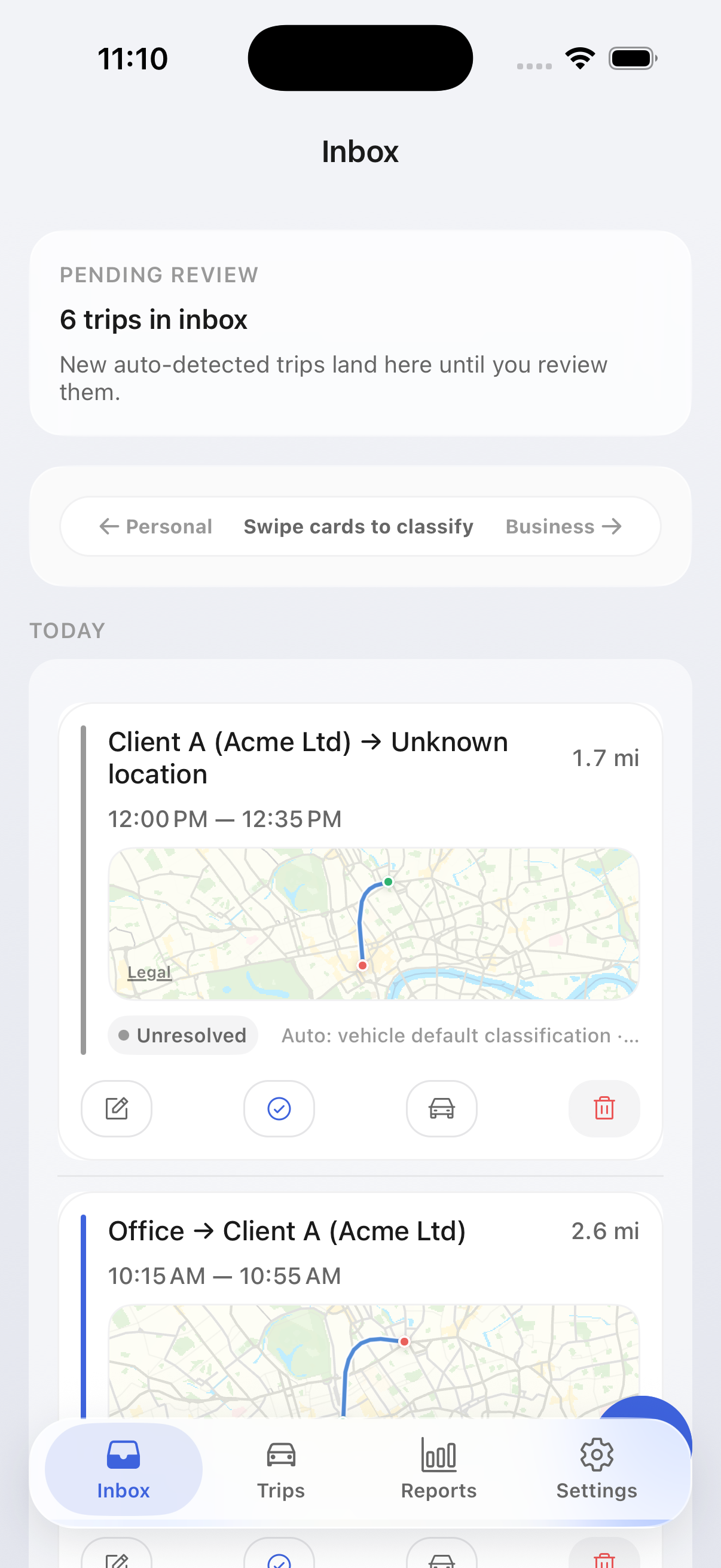
Need purpose before this month is ready to export.
Automatic mileage tracking
Every drive logged.
Every claim ready for review.
Auto-detect trips, keep business, commute, and private separate, and export country-aware reports without rebuilding month-end spreadsheets.
Business, commute, and private are suggested before review.
Trip logs and saved places stay on your phone by default.
Storage and trust
Trip logs and saved places stay on-device by default. Account data, support requests, crash diagnostics, optional analytics, and route-matching infrastructure are documented separately so the site and the legal pages tell the same story. Read the full security and data-handling page
Localized product pages
Choose the product page that matches your filing context
The blog is already localized. The product entry path now is too, so search traffic can land on a country-matched product page instead of a generic global waitlist.
US-specific MileTrack page for IRS-ready mileage logs, commute separation, and early-access pricing and availability.
Open local product page English (UK) Built for HMRC mileage workflows.UK-specific MileTrack page for HMRC mileage workflows, commute separation, and early-access pricing and availability.
Open local product page Deutsch (DE) Für Fahrtenbuch und Steuerworkflow gebaut.Deutschland-spezifische MileTrack Produktseite für Fahrtenbuch, Pendeln vs. Dienstfahrt und klar dokumentierte Datenverarbeitung.
Open local product pageFeatures
Built for claims, not just maps
MileTrack is designed around the filing workflow: capture, classify, review, export, and explain what happens to the data at each step.
Trip types that match real policy
Business, commute, and private are separate by default, so reports need less cleanup before you share them with finance or your tax preparer.
Audit-friendly trip review
Review purpose, classification, distance, and key trip fields before export with a clear record of what still needs attention.
Clear storage boundaries
Trip logs stay on-device by default, while account, support, optional analytics, and route-matching services are disclosed separately.
Country-aware rule packs
Country profiles are versioned by tax year so historical exports keep the context that was active when you filed them.
Export in 3 formats
Generate structured PDF, CSV, and XLSX files with machine-readable columns that accounting teams can reconcile.
Business / Commute / Private as first-class trip types
Commute is not hidden inside personal trips. MileTrack keeps it explicit, so policy checks and reports stay accurate.
Country checks: Deductibility rules by country and tax year.
Rule clarity: Every automatic label includes a visible reason.
Consistent logic: Places and routes apply the same rule stack every time.
How labels are decided
User override
Learned routes
Saved places
Vehicle defaults
Work-hours fallback
How it works
Three steps to tax-ready reports
One review loop from drive detection to a country-aware export package.
Auto-detect every drive
MileTrack recognizes when you start driving and records the trip automatically, without relying on manual timers.
Review the exceptions
Trips are suggested as business, commute, or private first. You only resolve the trips that still need a purpose or correction.
Export with the right context
Share PDF, CSV, and XLSX exports with country and tax-year metadata attached, so the filing context is explicit.
Compliance
Country-aware tax profiles
Current country profiles, localized defaults, and tax-year snapshots from one shared source of truth.
IRS standard mileage baseline
- Business-purpose and trip-detail checks before export.
- Standard mileage profile snapshot attached to each report.
- CSV/XLSX include raw machine-readable accounting columns.
HMRC-oriented records
- Required trip fields: date, from/to, purpose, distance.
- Business and commute separation for cleaner claims.
- Year-based rule packs with effective dates.
Fahrtenbuch clarity
- Country-year templates for structured logs.
- Consistent commute vs business categorization.
- Correction history preserved for audit trails.
France profile (localized defaults)
- France is available in onboarding with a localized tax profile.
- Set your local reimbursement rate in settings when employer policy differs.
- Exports keep purpose/date/from-to fields for filing workflows.
Italy profile (localized defaults)
- Italy is supported with a localized default profile and editable rates.
- Business, commute, and private classifications remain separated in reports.
- PDF/CSV/XLSX exports stay consistent across tax years.
Rittenregistratie-ready output
- Complete trip traces for declarations.
- Country-year reimbursement templates.
- Multi-vehicle monthly summaries in one package.
Poland profile (localized defaults)
- Poland is supported with localized defaults and editable reimbursement settings.
- Trip logs preserve purpose, date, route, and distance evidence.
- Country-year profile snapshots keep report history stable.
Sweden profile (localized defaults)
- Sweden is available in country selection with localized defaults.
- Keep business and commute handling explicit for cleaner accounting.
- Structured exports are ready for finance review.
Norway profile (localized defaults)
- Norway is supported with editable rates and localized tax profile metadata.
- Auto-classification helps reduce month-end manual cleanup.
- Report exports include trip-level evidence fields.
Finland profile (localized defaults)
- Finland is supported with localized defaults in onboarding.
- Rates and policy assumptions can be adjusted in app settings.
- Exports remain accountant-friendly across PDF, CSV, and XLSX.
Ireland profile (localized defaults)
- Ireland is available as a supported country profile.
- Use editable rate settings to match company reimbursement policy.
- All exports retain core audit fields for tax documentation.
Registro de kilometraje
- Trip records aligned with Agencia Tributaria requirements.
- Business purpose documentation for IRPF deductions.
- Vehicle assignment and distance tracking in one export.
Skattestyrelsen tiered rates
- Tiered reimbursement support for first 20,000 km and over.
- Policy-dependent commute treatment is preserved in exports.
- Authority metadata and tax-year context are snapshot-based.
CRA tiered reimbursement
- Tiered rates are applied: first 5,000 km and above.
- Business-purpose checks are enforced before report export.
- Compliance profile snapshot keeps historical reports stable.
ATO cents-per-kilometre profile
- Flat-rate reimbursement based on active tax-year template.
- Structured log output for period and trip-level evidence.
- Commute separation is retained for cleaner filing review.
On-device by default
Trip logs, saved places, and reimbursement settings stay on your phone by default. The site now distinguishes that local state from service-side account and support operations.
- Optional iCloud backup is available on iOS when you enable it.
- Exports remain under your control instead of requiring a hosted dashboard.
- Security and retention details are documented separately from trip capture copy.
What still uses infrastructure
Account setup, support conversations, crash diagnostics, optional analytics, and route-matching services still use infrastructure. Those paths are disclosed so the landing page and legal pages do not contradict each other.
- Route matching uses anonymized segments rather than a full “everything stays local forever” promise.
- Optional analytics is consent-based where required and separated from trip logs.
- EU-hosted infrastructure, deletion windows, and export rules are linked from the Security page.
Integrations
Export-first accounting
workflow in beta
CSV, XLSX, and PDF exports are live now. The logos below are planned connector targets for post-beta releases.

FAQ
Common questions
How are trips classified?
MileTrack keeps business, commute, and private as separate trip types. Suggestions are based on saved places, repeated routes, your review history, and explicit overrides.
Are the reports accepted by the IRS / HMRC / local tax workflows?
Exports include the core fields tax workflows require: date, origin, destination, distance, purpose, vehicle context, and the country profile active at export time.
Where is my data stored?
Trip logs and saved places stay on-device by default. Account data, support requests, crash diagnostics, optional analytics, and route-matching services use infrastructure that is documented on the Security page and in the Privacy Policy.
Does it back up anywhere?
On iOS, optional iCloud backup is available when you enable it. Exports or third-party connections send data only when you explicitly start that action.
What about battery impact?
Drive detection is designed for low battery impact by using motion signals before heavier location work. Battery behavior still depends on your phone, permissions, and vendor settings, so we recommend validating it over a normal week.
How does pricing work right now?
Early access is currently free and no credit card is required. The Pricing & Access page explains what is available today, how beta access works by platform, and how future pricing will be announced.
Availability
Move from research to an access path
Open the pricing, access, security, and migration surfaces instead of falling back to a generic waitlist dead end.